Windows 10

Windows 10 Guide
, ,

How to Fix msvcp110.dll Missing Error in Windows 10

In this Windows 10 guide, let’s find out how to fix msvcp110.dll missing error in Windows 10. You may get the msvcp110.dll missing error while running a number of programs in Windows 10. Here is the error message. The program can’t start because MSVCP110 .dll is missing from your computer. Try reinstalling the program to […]

How to Fix msvcp110.dll Missing Error in Windows 10 Read Post »
Microsoft Delays Windows 10 Mobile Upgrade
, , ,

Microsoft Delays Windows 10 Mobile Upgrade Yet Again

Microsoft is reported to have delayed the worldwide Windows 10 Mobile upgrade roll-out. Microsoft Delays Windows 10 Mobile Upgrade and is now anticipated to arrive in February 2016. The upgrade for the Windows 10 Mobile was previously supposed to be rolled-out by early December 2015. But that could be rolled-out. It was then pushed to

Microsoft Delays Windows 10 Mobile Upgrade Yet Again Read Post »

Windows 10 Guide
, ,

How to delete $Windows.~BT & $Windows.~WS folders in Windows 10

Let’s check how to delete $Windows.~BT & $Windows.~WS folders in Windows 10. After you upgrade to Windows 10 you may notice two folders on your System or C Drive named $Windows.~BT and $Windows.~WS. These folders are created by Windows, during the upgrade process. These folders are by default hidden. Change the folder options to see

How to delete $Windows.~BT & $Windows.~WS folders in Windows 10 Read Post »

Windows 10 Guide
, , ,

How to Fix NETAPI32.DLL is Missing Error in Windows 10

The NETAPI32.DLL is Missing Error can appear due to many reasons. Below you will find out how to fix NETAPI32.DLL is Missing error in Windows 10. The Netapi32.dll may have been corrupted or damaged by malware. The error may also appear if the files has been deleted or updated by any application. Most games and

How to Fix NETAPI32.DLL is Missing Error in Windows 10 Read Post »
Fix “A Component of the Operating System Has Expired” Error
,

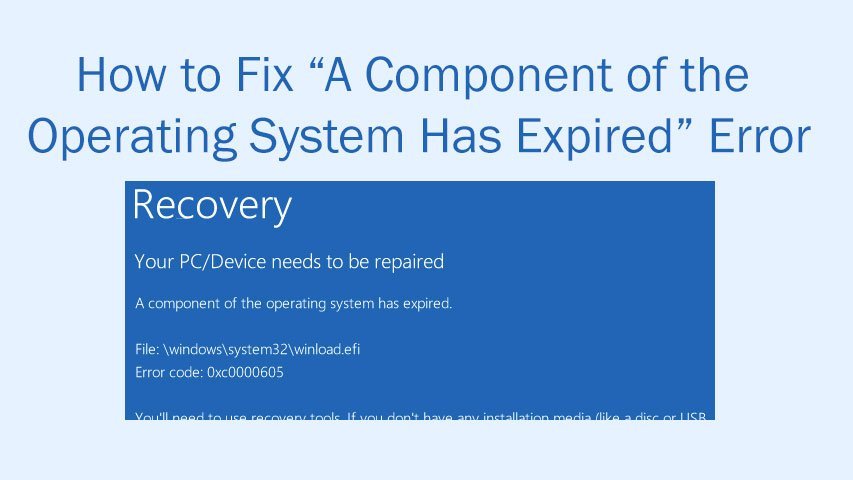
How to Fix “A Component of the Operating System Has Expired” Error

While installing Windows 10 some users get A component of the operating system has expired error. In this article we will show you How to Fix “A Component of the Operating System Has Expired” Error. How to Fix “A Component of the Operating System Has Expired” Error in Windows 10 Prerequisite before we proceed: Get the

How to Fix “A Component of the Operating System Has Expired” Error Read Post »

Windows 10 Guide
, , ,

How to Fix d3dx9_43.dll Missing Error in Windows 10

How to Fix d3dx9_43.dll Missing Error in Windows 10. Microsoft upgraded the Direct X version to DirectX 12 in Windows 10. The d3dx9_43.dll Missing Error in Windows 10 appears like The program can’t start because d3dx9_43.dll is missing from your computer. Try reinstalling the program to fix this problem. So the graphics performance got enhanced

How to Fix d3dx9_43.dll Missing Error in Windows 10 Read Post »